# DML 101: Building Blocks with Dyspatch
An overview of Dyspatch Markup Language (DML), a responsive email framework that simplifies HTML email building and ensures consistent rendering across all clients.
# Introduction — What is DML?
Dyspatch Markup Language (DML) is Dyspatch’s HTML Framework.
- Ensures emails are responsive and compatible with all email clients and devices
- Handles the quirks of email coding so that you don’t have to worry about sending broken emails
- Helps you reclaim engineering resources spent on coding and troubleshooting emails
## Benefits of DML
- **Spend less time testing** your emails
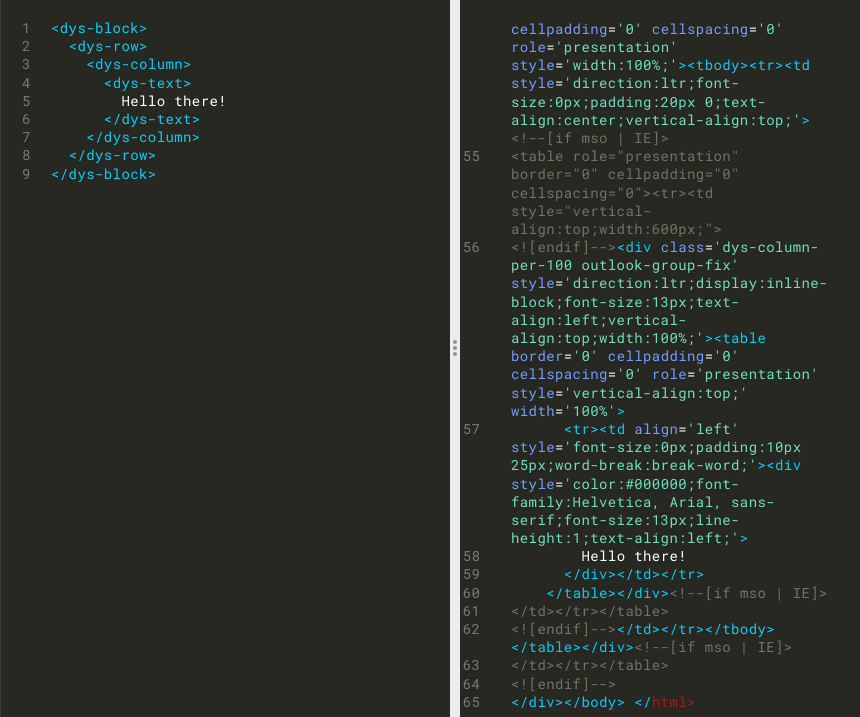
- DML elements are pre-built with the boilerplate code necessary for ensuring your emails will display correctly in every email client, meaning most of your code will just work
- **Efficient, human-readable code** lets you build quickly and accomplish more with far fewer lines of code
- DML elements have been named to describe their content, so that many are self-explanatory and human-readable — your text will live inside of dys-text, your images in dys-img, etc.
- **Make your emails portable** across different ESPs
- If you want to move to an ESP that uses a different templating language, you don’t need to re-code your templating logic, export your email and let Dyspatch handle the translation
- **Build reusable, versatile code** with DML blocks
- Non-technical team members can self-serve with Dyspatch’s drag-and-drop email editor
- Images, links, and content can be edited without touching the code
## Thinking With Blocks
When working with DML, you’re creating individual, reusable blocks, rather than an entire email.
- Break down an email into existing, reusable segments - each of those is a potential block!
- Blocks can be rearranged and edited in our drag-and-drop email editor
- No need to rebuild the basics for every email
- Ensure branding stays consistent across emails

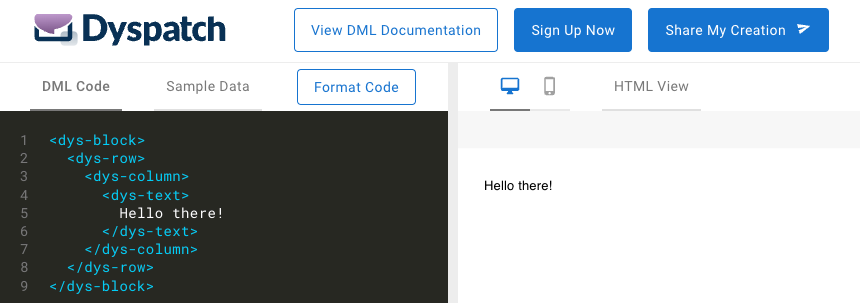
## DML Playground
As you go through this course, most sections will have links to the DML Playground. Clicking on those links will bring you a page pre-loaded with that example’s code so that you can see the block in action. Feel free to try altering the code in the examples — check out the DML Documentation for more information on specific attributes for each element!